
Uncategorized
Norfolk State Custom Jersey: Name Spelling and Length Checks
Oct
Before you order a custom Norfolk State Spartans jersey, check four things on the back text: the spelling letter by letter, the total character count, how it reads in capital letters, and whether the number is right. A two-minute proofread catches nearly every lettering problem, and it is much easier than dealing with a misspelled name after the jersey arrives.
Why lettering mistakes happen
Most errors on custom backs are not about the jersey at all. They come from typing on a phone, autocorrect swapping a name for a common word, or copying a nickname the way it sounds instead of how it is written. Knowing that helps you slow down at the right moment.
Check 1: Spelling, one letter at a time
Read the name out loud while pointing at each letter. Names with doubled letters, silent letters or unusual vowel combinations are the usual trouble spots. A few specific things to watch:
- Double letters that get dropped, such as two L’s or two N’s.
- Letters that swap places when typed fast, like IE and EI.
- Names with more than one accepted spelling. Confirm the exact version with the wearer if it is a gift.
- Autocorrect changing a surname into an everyday word.
If you are ordering for someone else, text them the spelling and ask them to confirm it. That one message is the best insurance there is.
Check 2: Count the characters
Back lettering is big, and the shoulders are only so wide. The longer the text, the smaller each letter has to be. Count every character, spaces included. Short names look bold and clean; long ones can feel tight.
If the name is long
- Consider the surname alone instead of first and last name together.
- For hyphenated names, decide whether you want both halves.
- A familiar short form or nickname can be a cleaner alternative.
Check 3: See it in capitals
Most jersey backs use capital letters. Type the name in all caps and look again. Some names that look fine in normal writing change shape in capitals, and you may notice a typo you missed before. Names with a capital in the middle, such as Mc or Mac surnames, deserve special attention because the product page may treat letter case in its own way. Follow the instructions on the product page for how to enter them.
Check 4: Spaces and punctuation
Extra spaces at the start or end of a field are invisible on screen but can cause trouble. Delete and retype the name if you pasted it from somewhere else. Keep punctuation to what the name truly needs. An apostrophe in a surname is fine; decorative periods or symbols are not worth the space they take.
Check 5: The number
Numbers get flipped more often than names get misspelled. A 61 becomes a 16 without anyone noticing. Say the number out loud, then check that you typed only digits in the number field with nothing else added.
Check 6: The final read-back
Once both fields are filled, read the name and number together as they will appear on the back. Then check them again in the cart, where most stores repeat your custom details under the item. If anything is off, fix it before you pay.
Where to enter the lettering
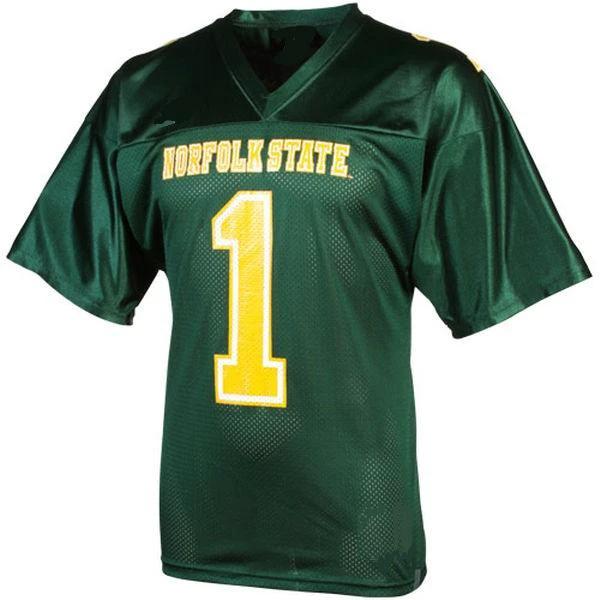
Norfolk State has one design on this store, so there is no confusion over which page to use: the Norfolk State Spartans Customizable jersey is where the name and number go. You can also reach it through the store’s Norfolk State Spartans section. The store has not posted a separate lettering guide, so follow the instructions on the product page for the custom fields. For washing, follow the care label that comes with the jersey.
The short version
- Spell it out loud, letter by letter.
- Count characters and shorten if it feels long.
- Look at it in capitals.
- Remove stray spaces and extra punctuation.
- Say the number out loud.
- Read it all back in the cart.
Six quick checks, and the back of your Norfolk State jersey will say exactly what you meant it to say.
