
Uncategorized
How to Order a Custom UC Davis Football Jersey, Step by Step
Oct
To order a custom UC Davis football jersey at topdesignfan, choose a design and colorway in the UC Davis Aggies category, add it to your cart, and type the exact name and number you want in the message box at checkout. If you forget, email the details right after ordering. That is the whole process; the steps below add the checks that keep the printed result exactly as you intended.
Before you start: have these ready
- The exact spelling of the name, with capital letters and any apostrophe or suffix.
- The number, written in digits.
- The size of the person who will wear it.
- Your preferred colorway as a first and second choice.
The walkthrough
- Open the category. Go to the UC Davis Aggies section and scan the listings. All of them belong to the 2025 Lake Tahoe Patch line.
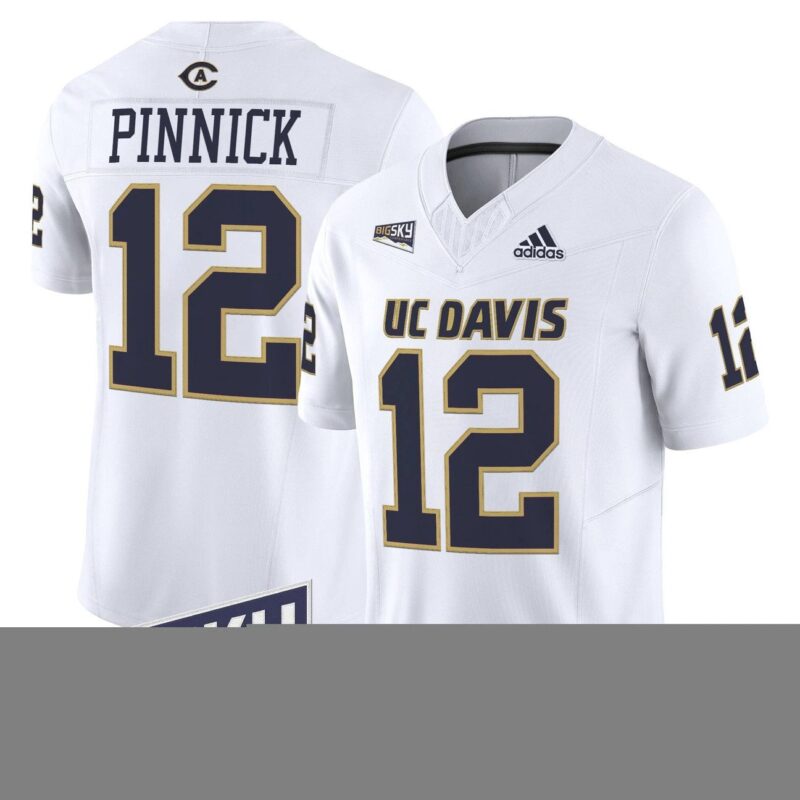
- Pick a base design. Choose a listing whose look you like. Place and number designs include an Aggies #530 listing, a UC Davis #25 listing and a Team #1 listing. Name-and-number listings include a Caden Pinnick #12 listing, a Carter Vargas #1 listing, a Chris Petersen #1 listing, a Jordan Fisher #20 listing, a Ken O’Brien #15 listing and a Samuel Gbatu Jr #8 listing. These titles describe a print, not a person’s involvement; they do not mean anyone wore or recommends the product.
- Select the colorway. Options across the line are Bold Aqua, Bold Aqua Alternate, Navy, Navy Alternate and White, with some shown as Aqua. Zoom into the photos to compare.
- Select a size and add the item to your cart.
- Write your custom text at checkout. In the order message, state the name and number clearly, for example: “Name: GARCIA. Number: 22. Colorway: Navy.” One item per line if you are ordering more than one.
- Proofread before paying. Read the message aloud, letter by letter and digit by digit.
- Missed the message box? Email the same details after ordering, with your order number in the subject line so it can be matched.
Spelling and number checks that catch most mistakes
Names
- Double letters (Mitchell, Russo) and silent letters are where typos hide.
- Apostrophes and suffixes: decide whether you want O’Brien or OBrien, Jr or no suffix, and write it exactly that way.
- Hyphenated surnames: say whether the hyphen should print.
Numbers
- Write digits, then repeat them in words in brackets: “22 (two-two).”
- Watch reversed pairs like 12 and 21.
- For three digits, such as a 530 place code, confirm the order once more.
Why the patch line is named after Tahoe
According to a Sept. 26, 2025 story on ucdavisaggies.com, UC Davis debuted Tahoe-themed jerseys at the Sept. 27, 2025 home game against Weber State, the Big Sky opener at UC Davis Health Stadium. The athletics site says the uniforms introduced a new color named Bold Aqua and a new logo, connected to a partnership with the UC Davis Tahoe Environmental Research Center. The store’s 2025 Lake Tahoe Patch is a fan reference to that theme and is not presented as matching the school’s exact design.
Material and care
The site lists 100% recycled polyester. For drying, tumble dry low. For anything else, follow the care label.
A sample checkout message
If you want to copy a format, this one leaves little room for confusion:
Custom UC Davis order. Name: SMITH (S-M-I-T-H). Number: 19 (one-nine). Colorway: Bold Aqua. Size as selected in cart.
Ready to place it? Open the UC Davis Aggies football jerseys at topdesignfan, follow the seven steps, and spend the extra thirty seconds on proofreading. Prefer a ready-made back? The Lake Tahoe Patch listings include number-only designs that need no custom text at all.
